Business Visit Card Neutral Mockup Guide
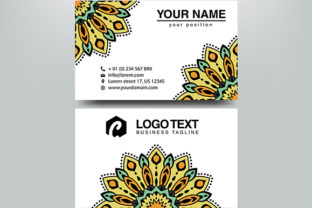
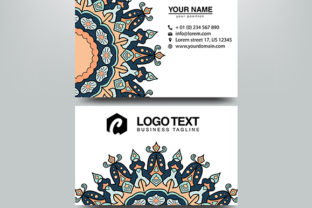
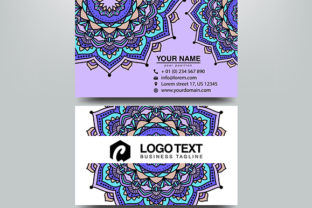
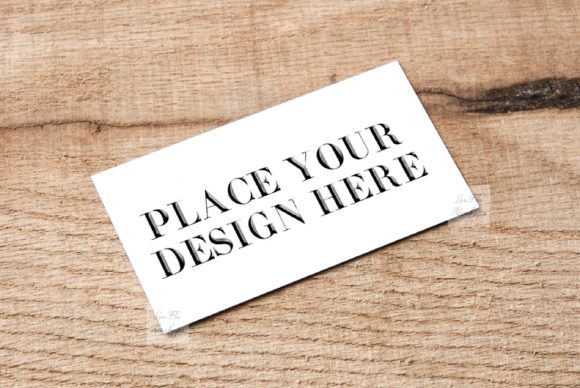
Presenting a new branding identity requires more than just a flat digital file; it demands context. The Business Visit Card Neutral Mockup provides that essential bridge between a two-dimensional design and a tangible reality. This specific resource captures a beautiful, rustic aesthetic that feels authentic rather than artificially rendered. Because the scene relies on natural textures and soft lighting, it serves as an ideal backdrop for showcasing standard 2 x 3.5 inch (9x5 cm) visit cards without distracting from the artwork itself.
For designers, freelancers, and small business owners, this mockup solves a common presentation problem. Creating professional product photography from scratch is time-consuming and expensive. By utilizing this high-resolution template, you can instantly visualize how modern or vintage designs interact with real-world surfaces. The neutral tone ensures that whether your brand palette is bold and colorful or muted and minimalist, the focus remains squarely on your typography and logo placement.
Understanding the Rustic Aesthetic and Versatility
The appeal of this particular mockup lies in its organic simplicity. Unlike sterile studio setups with harsh shadows and plastic props, this scene offers a warm, textured environment. This makes it exceptionally versatile for various industries. Artisans, bakers, florists, and eco-conscious brands often struggle to find digital templates that match their earthy vibe. Conversely, corporate professionals can use this neutral setting to soften their image, making their brand appear more approachable and human-centric.
You can place any design style within this frame. If you are working on a vintage letterpress project, the rustic background enhances the nostalgic feel. Alternatively, a sleek, contemporary card creates a striking contrast against the natural elements, highlighting the precision of modern design. This adaptability makes the Business Visit Card Neutral Mockup a staple asset for creative portfolios where diverse client work needs to be displayed cohesively.
Technical Specifications and File Details
Quality matters when presenting professional work. This digital product includes one high-resolution JPG image at 300 DPI, measuring 3504 x 2336 pixels. This resolution is sufficient for web displays, social media feeds, and even print proofs. Alongside the preview image, you receive a Smart Object PSD file compatible with Adobe Photoshop CS4 and newer versions. For those without access to Adobe software, the file also works with PIXLR, an accessible online editor.
- Dimensions: Fits standard 2 x 3.5 inch (9x5 cm) business cards.
- Resolution: 3504 x 2336 px at 300 DPI for crisp detail.
- Compatibility: Photoshop CS4+ and PIXLR online editor.
- Format: 1 Hi-res JPG and 1 Smart Object PSD.
- Clean Files: Downloaded files contain no watermarks, text, or floral overlays.
How to Edit the Smart Object Correctly
While this tool is designed for ease of use, it operates differently than standard layered mockups. It is crucial to understand the file structure before beginning. Please read the included "Easy Instructions" help file JPG before opening the PSD. Many users encounter confusion because layers in this specific PSD are hidden by default to preserve the integrity of the original photograph.
This is a simple mockup featuring only one smart object layer for your text or design. This layer is set to Multiply blend mode. This blending mode allows the texture of the underlying paper and the ambient shadows of the scene to show through your design, creating a realistic integration. However, this also means you must check the screenshot picture with the smart object outline to locate the correct editing area.
Important Technical Note: The card and background exist on the same layer. This is a real photo scene, meaning the physical objects cannot be moved, rotated, or resized independently. You are placing your design onto a fixed perspective. Ensure your artwork is prepared at the correct dimensions before inserting it into the smart object to avoid distortion.
Practical Applications for Digital Platforms
Once you have generated your customized image, the applications are extensive. For Instagram and Pinterest, square or portrait crops of this rustic mockup perform well because they stop the scroll with their tactile quality. Bloggers writing about branding tips or stationery reviews can use these images as featured graphics to break up text and illustrate concepts visually.
E-commerce sellers benefit significantly from this type of presentation. If you sell custom stationery on Etsy or Shopify, customers need to trust that the final product looks professional. Displaying your designs in a Business Visit Card Neutral Mockup builds that trust by simulating ownership. It helps clients imagine holding the card in their hands, which is a powerful psychological trigger for conversion. Educators and students in graphic design programs also utilize such assets to practice layout skills and present capstone projects with a polished finish.
Key Considerations Before Use
To get the best results, manage your expectations regarding customization. Because this is a photograph-based asset rather than a 3D render, lighting adjustments are limited. Your design will inherit the color temperature of the scene. If your brand colors are extremely sensitive to warm tones, consider applying a subtle color balance adjustment layer above your smart object to compensate.
Additionally, remember that simplicity is a feature, not a limitation. The single smart object workflow speeds up production time. Instead of managing dozens of shadow and highlight layers, you focus entirely on the design insertion. This efficiency is valuable when iterating through multiple concepts for a client presentation. Just ensure you verify the multiply blend mode is active; otherwise, your design may look like a sticker floating on top of the photo rather than ink printed on paper.
Finally, always keep the original source files organized. Since the downloaded files are clean and free of watermarks, they are ready for immediate commercial or personal use. Whether you are a seasoned agency professional or a hobbyist launching a side hustle, this neutral rustic template offers a reliable, high-quality method for elevating your visual communications. By respecting the technical constraints and leveraging the natural aesthetic, you transform a simple business card into a compelling brand story.